A calmer recipe library
Save recipes on iPhone without saving all the page clutter.
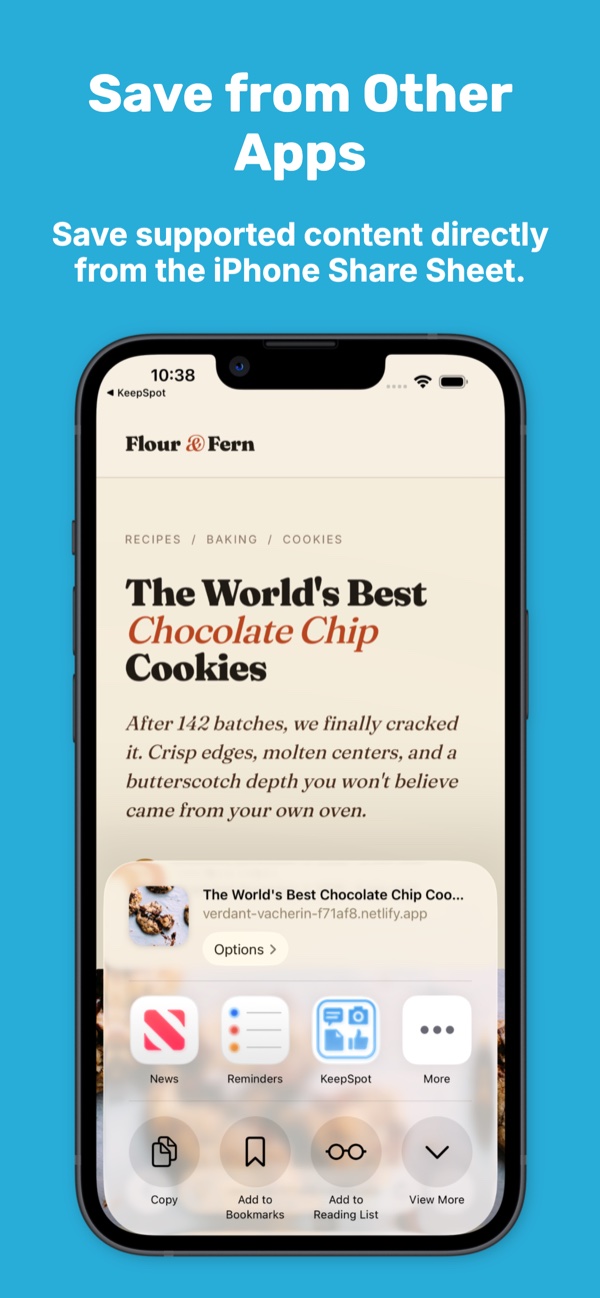
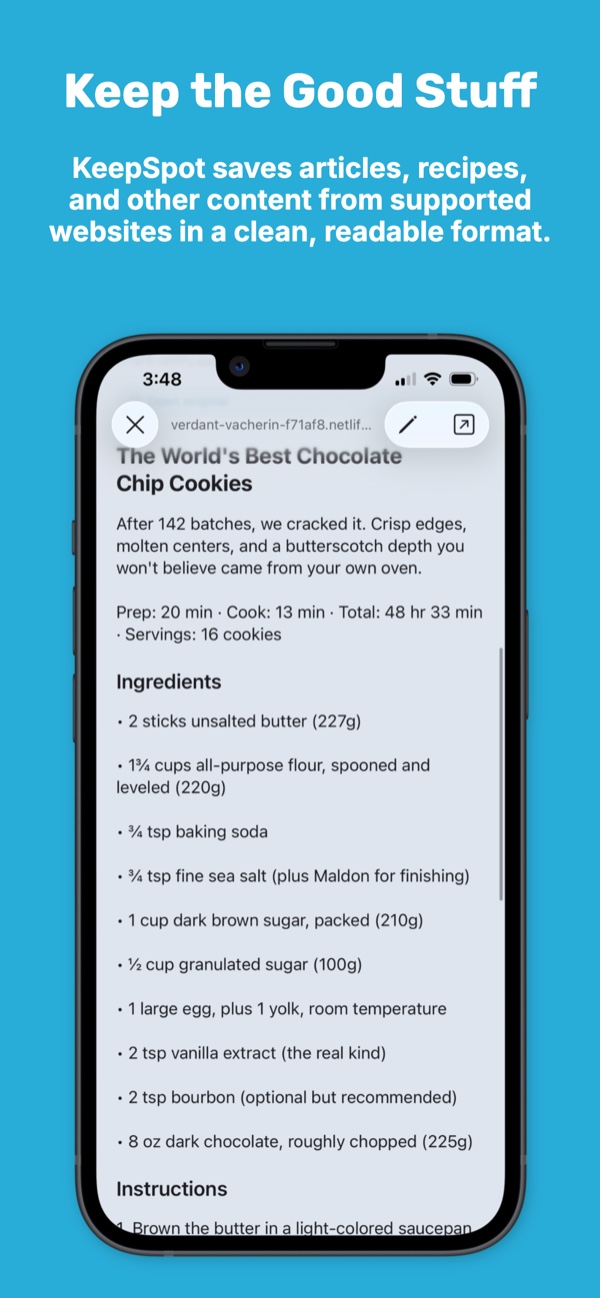
Share a recipe to KeepSpot and, where extraction is supported, keep the useful image, details, ingredients, and instructions in a cleaner view. The original source link always stays with the save.
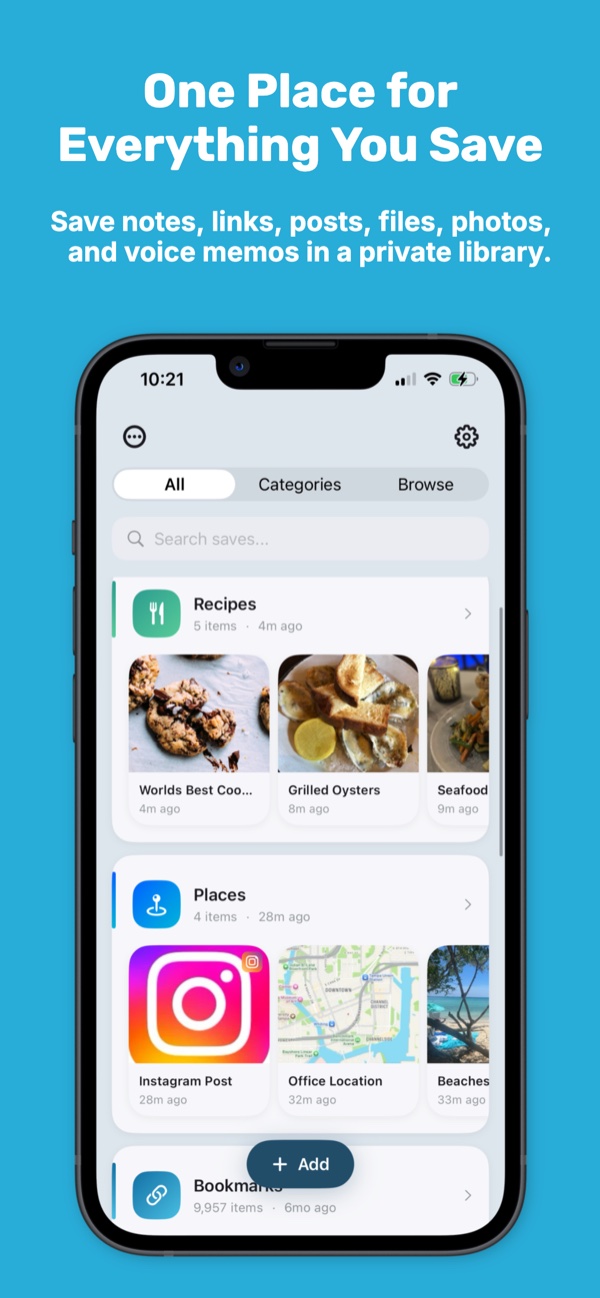
Organize recipes into collections, add notes and tags, and search one library when it is time to cook.
- Cleaner views where supported
- Original source kept
- No account
- No ads in KeepSpot
From page to library
Keep the recipe where you can find it again.
Recipe links tend to scatter across browser tabs, messages, social apps, screenshots, and bookmarks. Share supported pages to KeepSpot so dinner ideas land in one searchable place.
- Save from Safari and compatible apps through the iOS Share Sheet.
- Keep the title, image, source, and available recipe details together.
- Add notes for substitutions, timing changes, or what you would do next time.
- Use collections and tags for cuisines, occasions, diets, or meal plans.
Cleaner cooking reference
Ingredients and instructions without the detour.
When a site exposes compatible recipe information, KeepSpot can present it in a cleaner view with fewer page distractions. Open the source at any time for updates, comments, technique notes, or details that were not extracted.
Extraction varies by website
Some pages block extraction, require a login, or structure recipes in ways that cannot be parsed reliably. KeepSpot preserves the link even when a clean view is unavailable.
Your own cooking system
Organize for how you decide what to make.
There is no one correct recipe filing system. Use broad collections for where recipes belong and lightweight tags for the ways you filter them.
Private by default
Your recipe box does not need another login.
KeepSpot stores your library on your device and does not send it to KeepSpot servers. There is no KeepSpot account, advertising SDK, or third-party analytics collection.
- Start saving without an email address.
- Turn on iCloud sync only when you want it.
- Sync through the private CloudKit database in your own Apple account.
- Access, edit, delete, or export your saves from the app.
Questions
Recipe saver FAQ
Does KeepSpot remove ads from every recipe website?
Will every recipe include structured ingredients and instructions?
Can I add my own cooking notes?
Can I save recipes from social apps?
Explore KeepSpot
Save more than recipes
Make your next good recipe easy to find.
Save the source, keep the useful details, and organize the result your way.
Get KeepSpot on the App Store